
ASUS Data Recovery Services in Seattle
.jpg)
- Details
- Written by: Seattle Data Recovery
- Category: ASUS VivoBook & ExpertBook Data Recovery
- Hits: 13
The Failure Scenario
During a normal business task, your ASUS ExpertBook freezes completely, crashes to a Blue Screen of Death (BSOD), and reboots. Upon restarting, the laptop loops directly into the ASUS EZ Flash UEFI BIOS utility. If you check the hardware monitor or storage status page inside the BIOS, the M.2 slot is listed as "Empty," or it displays a drive with a generic controller name (such as "Phison" or "Silicon Motion") showing a total size of 0 MB.
The Storage Challenge
ExpertBook laptops utilize high-speed M.2 NVMe or SATA Solid-State Drives to handle intensive office workloads. However, these drives are controlled by micro-processors running their own low-level internal operating code (firmware). Due to unexpected power interruptions, sudden thermal spikes, or background component degradation, this firmware can corrupt. When the SSD's firmware crashes, the drive enters an internal protective "safe mode" lock to prevent data corruption, rendering your business data, proprietary software files, and databases invisible to the computer's motherboard.
The Professional Recovery Process
Because the drive is trapped in a low-level firmware loop, standard external enclosures, USB adapters, and software recovery programs will not detect it. Our paid diagnostic evaluation isolates the drive to communicate with it at a factory hardware level.
- Safe Mode Diagnostic Jumping: Our technicians remove the SSD from the ExpertBook chassis and locate the physical diagnostic test points on its circuit board, micro-soldering a hardware jumper to force the drive's controller to bypass its corrupted boot sequence.
- Microcode Ram Emulation: Using specialized laboratory hardware benches, we load a stable, compatible version of the drive's factory microcode directly into the SSD's volatile RAM buffer.
- Virtual Translator Map Reconstruction: SSDs rely on an internal "translator" matrix to continuously map where files physically reside across flash cells. When the firmware fails, this map breaks down. We use factory-level emulation tools to reconstruct a virtual translator map, granting us sector-level access to securely pull your business data.
- Details
- Written by: Seattle Data Recovery
- Category: ASUS ZenBook Data Recovery Services
- Hits: 12
The Failure Scenario
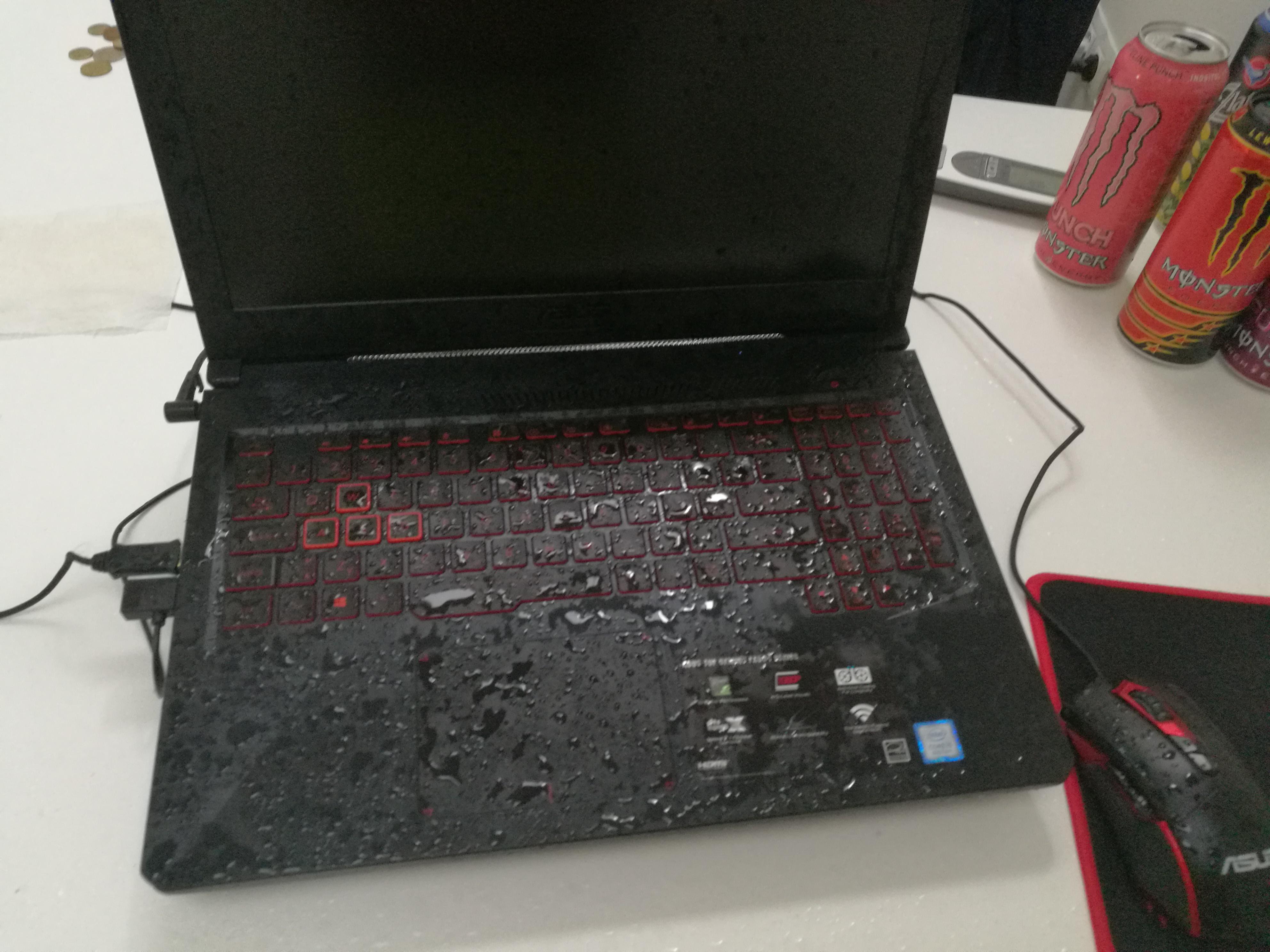
A cup of coffee, water, or wine spills directly onto your ZenBook keyboard. The laptop instantly cuts power and shuts off. Weeks later, after drying out in rice or open air, the device still refuses to turn on, charge, or respond to any inputs.
The Storage Challenge
Because ZenBooks are engineered to be incredibly compact, there are no internal barriers separating the keyboard from the vital logic board components below. Liquid instantly bridges live electrical circuits, causing immediate short circuits. Over time, the minerals in the liquid react with electricity to form green copper corrosion, which physically eats away at the microscopic traces connecting the CPU to the NVMe storage lanes or soldered NAND chips.
The Professional Recovery Process
Placing a liquid-damaged laptop in rice does not stop corrosion; it accelerates it. We charge an upfront diagnostic fee to completely disassemble the chassis and inspect the raw motherboard under a stereo microscope.
- Chemical Ultrasonic Cleaning: The logic board is stripped of its heat sinks and placed into an industrial ultrasonic tank filled with a specialized, non-conductive chemical solvent. High-frequency sound waves blast away microscopic corrosion, dried sugars, and rust from underneath the soldered storage chips.
- Micro-Soldering Trace Reconstruction: Under the microscope, our engineers use silver jumper wire (thinner than a human hair) to manually bridge traces that were destroyed by corrosion. We replace burned capacitors along the primary power rail to safely deliver voltage back to the storage controller.
- Targeted Imager Extraction: Once the board achieves basic electrical stability, it is connected to a hardware imager. We bypass the laptop's boot sequence entirely to clone the data blocks before the damaged circuits fail permanently.
- Details
- Written by: Seattle Data Recovery
- Category: ASUS ZenBook Data Recovery Services
- Hits: 11
The Failure Scenario
When you turn on your ZenBook, it bypasses Windows completely and boots directly into the ASUS EZ Flash UEFI BIOS screen. No matter how many times you save and exit, restart, or change settings, the laptop immediately loops right back to the utility menu.
The Storage Challenge
If you navigate to the "Storage" or "Boot Priority" section in the BIOS, the laptop will often state "No NVMe Storage Found" or list the drive under a generic factory name with 0 MB capacity. This error occurs because the solid-state drive's controller has suffered internal firmware corruption. The drive is getting power, but its internal operating microcode has crashed, forcing it into a protective "safe mode" lock.
The Professional Recovery Process
Data recovery software cannot access the drive because the Windows operating system cannot see it. After our initial paid diagnostic inspection, we bypass the computer's standard operating environment:
- Safe Mode Bridging: We remove the M.2 SSD (if it is a modular version) or tap into the drive's system diagnostic points on the motherboard. We then jump-start the drive into a specialized factory hardware mode.
- Firmware Patching: Utilizing advanced diagnostic hardware like the PC-3000 Flash system, our engineers upload a stable, modified version of the drive's microcode directly into its internal RAM.
- Translational Table Reconstruction: Solid-state drives use complex mapping tables to track where data is physically stored across flash cells. If these tables are corrupt, we use specialized utilities to emulate the translator. This grants us sector-level access to the raw data, allowing us to safely extract your files.
- Details
- Written by: Seattle Data Recovery
- Category: ASUS ZenBook Data Recovery Services
- Hits: 10
The Failure Scenario
Your older ASUS ZenBook (such as the early UX31 or UX32 series) starts running incredibly slow, freezes during simple tasks, or fails to boot past a flashing cursor. If you listen closely to the chassis, you can hear a faint clicking, ticking, or beeping sound coming from beneath the keyboard.
The Storage Challenge
Early generations of the ZenBook line relied on ultra-slim 5mm or 7mm mechanical hard disk drives (HDDs) or hybrid SSHD storage units. Because laptops are constantly moved, these mechanical parts are highly susceptible to physical kinetic shock. A hard drop or a bump while the hard drive is spinning can cause the read/write heads to slam into the spinning glass or aluminum magnetic platters.
The Professional Recovery Process
Continuing to power on a clicking hard drive will permanently destroy your data. The clicking sound means mechanical parts are physically scraping the data layer. Our paid diagnostic fee covers removing the drive safely to prevent further damage.
- Cleanroom Mechanical Reconstruction: We transfer the fragile mechanical drive into a certified cleanroom environment. This dust-free air prevents microscopic particles from landing on the open platters.
- Donor Component Matching: Our engineers find an exact matching donor drive (same model, firmware version, and head map). Under a microscope, we swap out the broken head stack assembly or seized spindle motor with healthy donor parts.
- Hardware-Enforced Imaging: Once stabilized, the drive is connected to a hardware imager that carefully controls power levels and read commands, extracting the maximum amount of data before the temporary mechanical parts degrade again.
- Details
- Written by: Seattle Data Recovery
- Category: ASUS ZenBook Data Recovery Services
- Hits: 9
The Failure Scenario
You press the power button on your ASUS ZenBook, but the laptop is completely dead. There are no status lights, no fan spinning, and no signs of life. This problem frequently follows a minor liquid spill, a sudden power surge, or component degradation on the motherboard.
The Storage Challenge
In many modern ultra-thin ZenBook lines (such as the ZenBook Flip, Duo, and newer UX series), the solid-state drive is not a removable card. To save internal space, ASUS solders the NAND flash storage memory chips and the controller directly onto the main motherboard. If the motherboard dies, your data is trapped on a dead piece of fiberglass.
The Professional Recovery Process
Standard computer repair shops cannot help in this scenario because there is no drive to remove. We begin with a paid diagnostic evaluation to test the logic board under a microscope.
- Micro-Soldering & Circuit Diagnostics: Our engineers trace the power rails on the ZenBook motherboard using detailed schematics. We identify and replace shorted capacitors, blown fuses, or failed power management integrated circuits (PMICs).
- Temporary Power Restoration: The goal is not to fix the laptop permanently, but to repair the circuitry just enough to stabilize the board, initialize the storage controller, and create a bit-by-bit clone of the flash memory.
- Direct Chip-Off Recovery: If the motherboard is too badly warped or corroded from liquid, we perform a chip-off procedure. We carefully desolder the raw NAND flash chips using a professional rework station, read them using hardware programmers, and manually reconstruct the file system structure.
Subcategories
ASUS Laptop Data Recovery Services
A broken or inaccessible laptop can instantly disrupt your work, school, or gaming. If your ASUS laptop won't turn on, shows a flashing cursor, or demands a BitLocker key you don't have, your files are likely still intact.
We provide advanced, professional data recovery for all ASUS laptop lines, combining specialized hardware tools with micro-soldering expertise to recover your critical documents, photos, databases, and creative projects safely.
Supported ASUS Laptop Series
ASUS utilizes diverse storage architectures across its lineups—ranging from traditional hard drives to proprietary solid-state drives (SSDs) and storage chips soldered directly onto the motherboard. We support them all:
- ASUS ZenBook (Standard, Pro, Flip, & Duo): These premium, ultra-thin laptops frequently use proprietary M.2 SSD form factors or soldered onboard NAND flash storage. We utilize specialized logic board readers to bypass broken motherboards and extract your data directly.
- ASUS ROG (Republic of Gamers) & Zephyrus: High-end gaming laptops often utilize dual NVMe SSDs configured in RAID 0 striping for maximum speed. If one drive fails, the entire file system breaks down. Our engineers can reconstruct these complex RAID arrays in our lab to retrieve your data.
- ASUS VivoBook & ExpertBook: Mainstream consumer and business laptops that commonly suffer from mechanical hard drive drops, corrupted partition tables, or sudden software crashes.
- ASUS TUF Gaming & X-Series: Durable and budget-friendly performance laptops that frequently encounter "Device Not Found" errors due to heavy wear and tear or overheating components.
Common Causes of ASUS Data Loss
Laptops travel with us everywhere, exposing them to unique physical and logical hazards. Contact us immediately if your ASUS laptop experiences:
1. Hard Drive or SSD Failure
- Symptoms: "No Bootable Device" error message, looping BIOS screens, or constant blue screen of death (BSOD) crashes.
- The Cause: Physical degradation of flash memory chips or physical mechanical failure (clicking/beeping) on older hard drive models.
2. Sudden BitLocker Encryption Lockouts
- Symptoms: A blue screen appears upon boot demanding a 48-digit BitLocker recovery key.
- The Cause: ASUS motherboard BIOS updates or automatic Windows updates can trigger security chips (TPM) to lock the drive. If your key is lost, we use specialized logical extraction techniques to address encrypted partitions.
3. Liquid Spills & Motherboard Damage
- Symptoms: The laptop is completely dead, won't charge, or keyboard keys stop responding after exposure to water, coffee, or juice.
- The Cause: Short circuits across the logic board. Do not try to turn the laptop back on. Our engineers perform component-level micro-soldering and ultrasonic cleaning to temporarily revive the board to pull the data.
4. Accidental Deletion or Formatting
- Symptoms: Files vanished, or the Windows factory reset tool was run accidentally.
- The Cause: User error or software corruption. We use deep-sector scanning tools to piece deleted files back together before they are overwritten.
Our Recovery Process
We treat your device with strict security protocols to ensure your privacy and data integrity are maintained throughout the process.
- Diagnostic Evaluation: We charge an upfront diagnostic fee to safely open your laptop or remove the storage drive to analyze the exact nature and extent of the failure.
- Transparent Quote: Based on our evaluation findings, you receive a guaranteed price quote for the actual recovery work before it begins. There are no hidden fees.
- Safe Extraction: Physical drive failures are handled inside a certified cleanroom environment to prevent dust contamination from destroying exposed platters or flash wafers.
- No Data, No Fee Guarantee: If your data is completely unrecoverable due to severe physical media destruction, you do not pay the recovery fee.
ASUS ZenBook Data Recovery Services
Ultra-thin ASUS ZenBook models (including ZenBook Pro, Flip, and Duo) present unique engineering challenges when they fail. These premium devices maximize portability by using highly customized internal hardware. This design makes standard DIY data extraction methods impossible.
The Challenge with ZenBook Storage
Older ZenBook models often rely on proprietary M.2 SSD form factors with non-standard pin configurations. Modern ZenBooks frequently feature onboard NAND flash storage chips soldered directly to the motherboard.
When a ZenBook suffers a liquid spill or a logic board failure, you cannot simply remove the drive and plug it into another computer.
Common ZenBook Failure Modes
- Total Power Failure: The laptop completely fails to power on, often due to a short circuit on the highly compact motherboard.
- Solid-State Drive Degradation: The computer boots directly into the BIOS loop, indicating the motherboard can no longer recognize the storage chips.
- Physical Port Damage: Broken USB-C or charging ports that prevent battery power and data transfer.
Our In-Lab ZenBook Recovery Process
We charge an upfront diagnostic fee to inspect your ZenBook and determine the exact path to recovery.
- Component-Level Repair: If the storage chips are soldered to a dead motherboard, our micro-soldering engineers work to repair the power rails on the logic board. This temporarily revives the device just long enough to mirror your data safely.
- Proprietary Interface Adapters: For models with removable but non-standard SSD blades, we utilize specialized laboratory adapters to interface directly with our deep-sector data recovery equipment.
- Direct NAND Reading: In cases of severe motherboard destruction, we can perform chip-off recovery. We safely desolder the flash storage memory chips and read the data directly using raw chip programmers.
ASUS ROG & Zephyrus Gaming Laptop Data Recovery
High-performance ASUS ROG (Republic of Gamers) and Zephyrus gaming laptops are built for speed. However, their complex storage setups and high operating temperatures create distinct data recovery scenarios.
The RAID 0 Striping Risk
To achieve maximum read and write speeds, many ASUS ROG laptops are configured from the factory with two NVMe M.2 SSDs running in a RAID 0 (striped) configuration.
In a RAID 0 array, data is split evenly across both physical drives. There is no redundancy. If either drive experiences a hardware failure, file corruption, or bad sectors, the entire file system breaks down completely. Your files cannot be read without professional reconstruction.
Common ROG & Zephyrus Failure Modes
- Overheating and Thermal Stress: Heavy gaming or rendering strains components. This stress can lead to premature controller failure on high-speed NVMe drives.
- RAID Controller De-synchronization: A sudden crash or BIOS update can cause the system to lose track of the RAID configuration, marking the drives as unformatted or blank.
- Liquid Cooling Leaks: Some high-end models use advanced cooling layouts where internal liquid spills can cause immediate short circuits across the NVMe slots.
Our Specialized Gaming Laptop Recovery Process
We begin with a paid evaluation to analyze both drives in your gaming system.
- Bit-by-Bit Clones: We remove both SSDs and create exact sector-level clones using specialized hardware imagers. This process protects your original media from further degradation.
- Virtual Array Reconstruction: Our engineers use advanced software tools to manually determine the original block size and drive order. This lets us rebuild the striped RAID 0 array virtually in our lab.
- Corrupt File Assembly: Once the array is reconstructed, we extract your game saves, creative projects, database assets, and personal files safely.
ASUS VivoBook & ExpertBook Data Recovery
Mainstream ASUS VivoBook consumer laptops and ExpertBook business machines are everyday workhorses. They are highly susceptible to the physical hazards of daily travel and sudden encryption lockouts.
The BitLocker Recovery Trap
Modern VivoBooks and ExpertBooks rely heavily on Windows Modern Standby and Trusted Platform Module (TPM) security chips. This layout often automatically turns on BitLocker Drive Encryption without explicit user configuration.
A routine ASUS BIOS update or a forced Windows update can alter the motherboard signature. When this happens, the system triggers a blue screen demanding a 48-digit BitLocker recovery key. If you do not have this key in your Microsoft account, standard repair shops cannot access your data.
Common VivoBook & ExpertBook Failure Modes
- Mechanical Hard Drive Failure: Older or budget VivoBook models using traditional mechanical hard drives (HDDs) frequently suffer from broken read/write heads or seized spindles after a drop.
- Firmware Corruption: The SSD controller enters a locked state, showing up in the BIOS with an incorrect drive capacity (e.g., 0 MB) or a generic factory name.
- Accidental Factory Resets: Users attempting to troubleshoot a slow system accidentally trigger the ASUS recovery partition, overwriting crucial personal data.
Our Approach to VivoBook and ExpertBook Recovery
Every recovery starts with a paid diagnostic evaluation to pinpoint whether your issue is physical hardware damage or a logical lock.
- Logical & Encryption Workarounds: If your drive is healthy but locked by BitLocker, we use specialized forensic extraction techniques to target and salvage data layers.
- Cleanroom Mechanical Repair: For VivoBooks with traditional spinning hard drives that are clicking or beeping, we open the drive inside our certified cleanroom to replace damaged internal components safely.
- Firmware Restoration: If the solid-state drive has crashed due to firmware corruption, we utilize specialized factory-mode tools to patch the drive's controller microcode. This allows us to access the data sectors.
ASUS TUF Gaming & X-Series Data Recovery
Built for durability and budget-conscious performance, ASUS TUF Gaming laptops and legacy X-Series computers endure heavy workloads that can lead to physical component wear.
Wear, Tear, and Physical Impact
ASUS TUF laptops are designed to take a beating, but the internal storage components are still fragile. Hard drops can shatter the delicate platters of an internal hard drive or fracture the solder joints connecting an M.2 slot to the motherboard.
Older X-Series laptops often rely on traditional mechanical hard drives that have reached the end of their operational lifespan.
Common TUF & X-Series Failure Modes
- "No Bootable Device" Failures: Physical disconnection or internal degradation of the primary boot drive due to heavy vibration or impact.
- Severe Bad Sectors: The laptop becomes incredibly sluggish, constantly freezes, or drops into a Blue Screen of Death because the drive cannot read specific data sectors.
- Physical Connector Damage: The SATA or NVMe motherboard traces break or lift due to severe chassis flex from physical impacts.
Our TUF & X-Series Recovery Process
We charge an upfront diagnostic fee to safely extract the storage media from the ruggedized chassis and test its structural integrity.
- Deep-Sector Imaging: For drives plagued by massive amounts of bad sectors, we use specialized hardware tools (like PC-3000) to force the drive to skip damaged areas. This technique lets us extract clean data from the remaining healthy sectors.
- Motherboard Bypass: If the internal storage connector on a TUF laptop is broken, we remove the drive entirely and perform data extraction using external laboratory benches.
- No Data, No Fee: If our cleanroom or digital recovery attempts reveal that the storage media is too severely damaged to recover anything, you pay no recovery fee beyond your initial diagnostic charge.








