
SD Card Data Recovery
- Details
- Written by: Seattle Data Recovery
- Category: SD Card Data Recovery
- Hits: 2036
Unlocking the World of SD Cards: A Comprehensive Guide to Data Recovery and Storage Options
In today's digital age, SD cards have become an integral part of our everyday technology. From capturing memories on a digital camera to expanding storage on smartphones and tablets, SD cards offer versatility and convenience. However, with the rise of data storage comes the inevitable risk of data loss, making professional data recovery services paramount. Seattle Data Recovery has established itself as a trusted leader in restoring data from all types of SD cards, including SDHC, SDXC, SDUC, and the now-obsolete MiniSD. This comprehensive guide aims to demystify the complexities of SD cards, explore their capacities and physical variants, and highlight the importance of choosing the right storage solutions, such as the Delkin BLACK V90, for high-performance needs.
Whether you are an avid photographer, a videographer, or simply a tech enthusiast, understanding the nuances of SD cards will enable you to select the best options for your devices and safeguard your valuable data through expert recovery solutions.
The Evolution of SD Card Technology: From Standard SD to SDUC
The Secure Digital (SD) card has undergone significant evolution since its inception, adapting to the increasing demands for higher storage capacities and faster data transfer rates. The original standard SD cards emerged as a compact, reliable storage solution, primarily catering to digital cameras and portable devices. Over time, advancements in semiconductor technology led to the introduction of new variants, each designed to meet specific user requirements.
Today, the SD card landscape comprises four main types: SD, SDHC, SDXC, and SDUC, each distinguished by its maximum capacity, file system compatibility, and physical design. Recognizing these differences enables users to select the appropriate storage media for their devices, while also understanding the importance of data recovery services, such as those provided by Seattle Data Recovery, in the event of accidental data loss.

- Details
- Written by: Seattle Data Recovery
- Category: SD Card Data Recovery
- Hits: 1655
The Rising Need for Expert Data Recovery in the Digital Age
In today's fast-paced digital landscape, losing valuable data can be catastrophic, especially when storage devices like SD cards contain critical photographs, videos, or business documents. Among the premium options available, the Delkin BLACK V90 series stands out for its high-speed performance and reliability. However, even the most durable cards are susceptible to damage—be it physical trauma or logical corruption—that can render data inaccessible. That's where professional services such as Seattle Data Recovery step in, deploying specialized techniques to restore data from damaged or compromised SD cards.
Explore the intricate process behind retrieving data from damaged Delkin BLACK V90 SD cards, highlighting why professional recovery is essential, and demystifying the advanced methods used. Whether your card has suffered physical harm or appears unreadable, understanding these protocols can provide reassurance and guidance.
The Delkin BLACK V90: A Premium Choice for High-Performance Storage
The Delkin BLACK V90 SD cards are acclaimed in professional videography, photography, and data-intensive applications for their superb speed and durability. Designed to handle 8K video recording and rapid data write speeds, these cards are built for demanding environments, which underscores their reputation for reliability. Nevertheless, like all electronic storage media, their resilience has limits.
Physical impacts—such as bending, dropping, or exposure to liquids—can compromise the delicate internal structure, resulting in data loss. Similarly, logical issues like corrupt file systems or firmware malfunctions can impede access. When standard efforts fall short, a professional data recovery solution becomes vital. Seattle Data Recovery collaborates with industry-leading providers to ensure that even the most complex cases involving Delkin BLACK V90 SD cards receive expert attention.
Understanding Data Loss: How Damage Affects Your SD Card
Data loss on SD cards is often caused by various factors—including physical damage, logical corruption, and controller failures. Physical damage manifests primarily when the card sustains external trauma, like bending or internal component failure due to water damage. These issues often require specialized hardware techniques for recovery, as the internal NAND flash memory chips may be physically compromised or inaccessible.
Logical corruption, on the other hand, results from software-related errors such as interrupted write processes, power surges, or malware infections. When the card's file system becomes unreadable or shows an incorrect capacity, software-based solutions might help. But in many cases—especially with severe damage—advanced professional recovery techniques are necessary to regain access. Seattle Data Recovery's expert team understands the nuances of each scenario and applies the most appropriate tools to restore data efficiently.
Read more: Seattle Data Recovery Restores Data from Damaged Delkin BLACK V90 SD Cards

- Details
- Written by: Seattle Data Recovery
- Category: SD Card Data Recovery
- Hits: 1551
The Increasing Significance of Durable Storage Solutions
In today's digital age, data storage mediums must be both resilient and reliable. The Sony SF-G Tough SD cards have become increasingly popular among professionals, photographers, and videographers due to their enhanced durability features. These cards are designed to withstand extreme conditions such as water, shock, and bending, making them ideal for rigorous use in demanding environments. However, despite their durability, data loss can still occur, whether from unforeseen physical damage or logical corruption.
When critical data is at risk, professional data recovery services, such as Seattle Data Recovery, become instrumental in restoring lost information. This post explores how Seattle Data Recovery handles data recovery from damaged Sony SF-G Tough SD cards, detailing the processes, challenges, and technological advances involved in recovering valuable multimedia files.
Understanding the Unique Durability of Sony SF-G Tough SD Cards
The Sony SF-G Tough series distinguishes itself through its robust construction and protection features. These SD cards are engineered with reinforced materials and protective coatings that shield them from common physical hazards. For instance, they are resistant to bending, water immersion, extreme temperatures, and shock—characteristics that appeal to professionals working in harsh environments.
This advanced durability, however, does not make the cards invulnerable. While they are built to endure rough handling, accidents can still occur beyond their physical boundaries. A dropped card, exposure to water, or physical trauma can cause severe damage. In such scenarios, the process of data recovery becomes complex, requiring specialized expertise that only seasoned professionals, such as those at Seattle Data Recovery, can provide.
Common Causes of Data Loss in Sony SF-G Tough SD Cards
Despite their ruggedness, Sony SF-G Tough SD cards are susceptible to various forms of data loss. Understanding these causes can help users determine the appropriate course of action when data becomes inaccessible.
Physical damage remains the leading cause of data loss. Examples include bending, cracking, or water damage that causes hardware failures. When the card's circuitry or internal components are compromised, software solutions are insufficient for data retrieval. Conversely, logical failures, such as accidental deletion or file system corruption, require advanced recovery methods but are often less severe in nature.
Additionally, power surges, improper ejection from devices, or manufacturing defects can lead to logical failures. These issues prevent the computer from properly reading the card, halting access to the stored data. Recognizing the nature of the problem is crucial for selecting the most suitable data recovery approach.
When to Seek Professional Help: Physical Damage
Physical damage to a Sony SF-G Tough SD card is typically evident and often irreparable without specialized tools. If a card is visibly bent, cracked, or shows signs of water ingress, attempting DIY repairs can exacerbate the damage and jeopardize data recovery efforts.
In such cases, professional data recovery services such as Seattle Data Recovery are indispensable. Technicians utilize advanced hardware and cleanroom environments to disassemble and analyze the card carefully. This meticulous process enables them to repair physical damage or extract data directly from damaged internal chips, a feat that is impossible with basic software tools.
Physical damage often poses the risk of further data loss if not properly handled. Professional recovery ensures minimal risk and maximizes the chances of retrieving photographs, videos, or important files intact. This approach underscores the importance of trusting seasoned experts when hardware is physically compromised.
Read more: Seattle Data Recovery Restores Data from Damaged Sony SF-G Tough SD Cards

- Details
- Written by: Seattle Data Recovery
- Category: SD Card Data Recovery
- Hits: 1529
The Critical Need for Expert Data Recovery Services
In today's digital age, SD cards are ubiquitous—storing photos, videos, documents, and other vital data. Among these, the Kingston Canvas React Plus stands out for its speed and reliability, favored by professional photographers and content creators alike. However, even the most robust SD cards can encounter issues, whether due to physical damage, logical errors, or accidental deletion.
When disaster strikes, many individuals and businesses find themselves in a crisis of data. At this juncture, the importance of specialized data recovery services becomes apparent—services like those offered by Seattle Data Recovery. This professional team possesses the expertise, tools, and techniques to recover data from damaged Kingston Canvas React Plus SD cards—cases that conventional software solutions cannot fix. Learn how Seattle Data Recovery approaches complex recovery scenarios, the processes involved, and why selecting an expert is crucial.
Recognizing When Your Kingston Canvas React Plus SD Card Needs Help
SD cards, despite their durability, are susceptible to various issues. Users may notice error messages, corrupted files, or even a complete failure to recognize the card. Physical damage can manifest as cracks, water damage, or broken connectors, while logical errors often result from improper ejection, formatting mistakes, or corruption due to power interruptions.
Recognizing these symptoms early is critical. Often, attempts to fix these issues with basic software tools are insufficient or even worsen the problem. When standard recovery methods fail, it becomes essential to turn to professional data recovery services. Only with specialized equipment and expertise can technicians effectively address the complex challenges presented by severely damaged Kingston Canvas React Plus SD cards.
The Role of Seattle Data Recovery in Restoring Damaged Kingston Canvas React Plus SD Cards
Seattle Data Recovery has established itself as a leader in the field of data restoration, particularly for high-performance SD cards like the Kingston Canvas React Plus. Their team understands the intricacies of various storage devices and employs state-of-the-art techniques to maximize the chances of recovery.
From physical damages to advanced logical errors, the team takes a strategic approach to data recovery. Their process begins with a thorough evaluation to assess the extent of damage. Armed with this information, they select appropriate methods—ranging from hardware repairs to specialized software—to recover as much data as possible. This comprehensive approach ensures that even in the most complex cases, clients receive the highest likelihood of data retrieval.
Read more: Seattle Data Recovery Successfully Restores Kingston Canvas React Plus SD Cards
- Details
- Written by: Seattle Data Recovery
- Category: SD Card Data Recovery
- Hits: 1432
Bridging the Gap Between Data Loss and Recovery
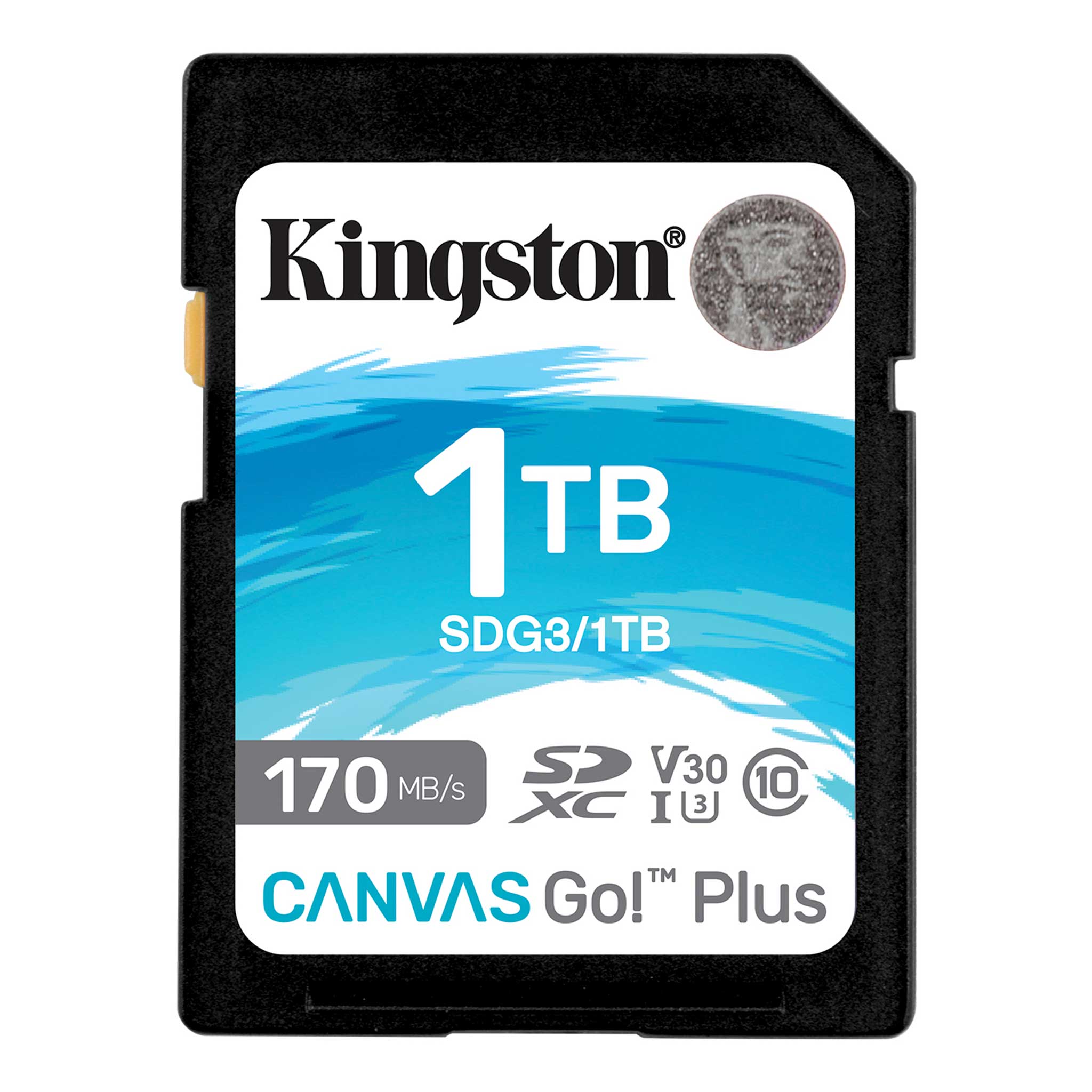
In today's digital age, data is the backbone of both personal memories and professional endeavors, particularly when it comes to a critical SD card like the Kingston Canvas Go! Additionally, experiencing failure can cause significant disruptions. Fortunately, Seattle Data Recovery offers expert services tailored specifically to recover data from damaged or corrupted Kingston Canvas Go! Plus SD cards. This comprehensive guide will walk you through the process, emphasizing why professional recovery is essential and how Seattle Data Recovery stands out as a leader in this field.
The importance of reliable data recovery cannot be overstated, especially when dealing with physically damaged storage media. Simply relying on self-recovery tools may suffice for minor logical errors; however, when the SD card is physically compromised, these methods often fall short. That's where specialized data recovery services come into play, employing advanced techniques to access and retrieve your valuable data securely and efficiently.
The Significance of Kingston Canvas Go! Plus SD Cards in Modern Storage Solutions
The Kingston Canvas Go! Plus, SD cards have become a favorite among photographers, videographers, and content creators due to their high-speed performance and durability. Known for their rugged build alongside fast read/write speeds, these cards are designed for on-the-go professional use. Nonetheless, despite their reliable reputation, no storage device is invulnerable to damage.
Over time, factors such as physical mishandling, exposure to extreme temperatures, or manufacturing defects can cause issues with Kingston Canvas Go! Plus SD cards. When problems occur, users often find themselves scrambling for data recovery options. Recognizing the importance of safe and effective recovery methods, professionals in Seattle offer specialized services to address these issues directly.
Common Causes of Data Loss on Kingston Canvas Go! Plus SD Cards
Understanding why data loss occurs on Kingston Canvas Go! Plus, SD cards are crucial. Several factors can lead to partial or complete data failure, ranging from accidental deletion to hardware corruption. Notably, physical damage, such as bent pins or exposure to water, often renders self-recovery impossible.
Logical errors, such as file system corruption, malware infections, or improper ejection procedures, also contribute to data loss. When these issues happen, data recovery software may initially seem like a viable option. However, if the SD card sustains physical damage, attempting recovery without professional help can worsen the situation, making professional intervention not just advisable but essential.
Read more: Seattle Data Recovery Restores Data from Kingston Canvas Go! Plus SD Cards
- Seattle Data Recovery Restores Damaged SanDisk Extreme PRO SDXC UHS-II Cards
- Data Recovery from Damaged Lexar Professional Series Cards: Insights from Seattle Data Recovery Experts
- Seattle Data Recovery Restores Data from ProGrade Digital SDXC UHS-II V90 Cards
- Seattle Data Recovery Experts Bring Water-Damaged GoPro SD Cards Back to Life








