
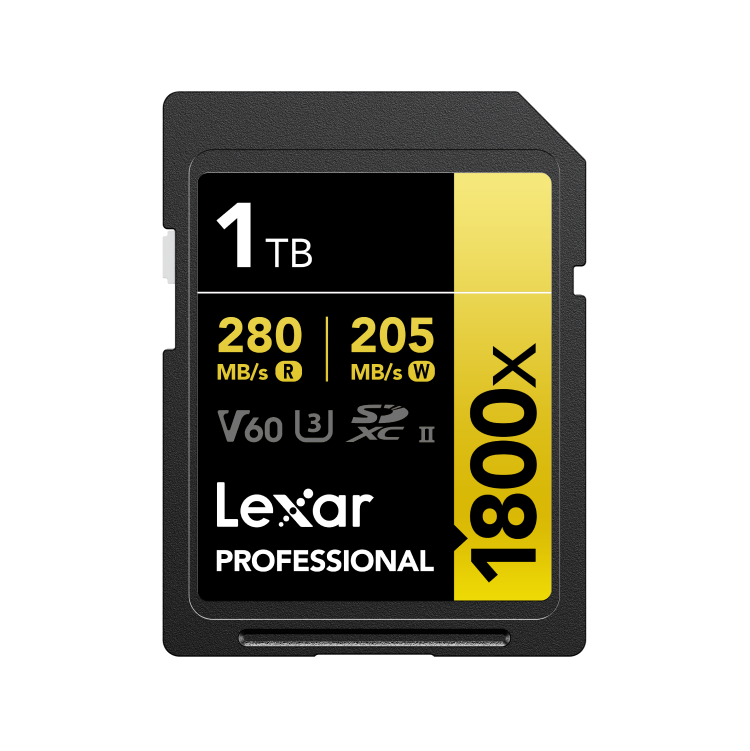
The Rising Need for Reliable Data Recovery
In the fast-paced world of digital media, Lexar Professional Series SD cards have established themselves as reliable storage solutions for both professionals and enthusiasts. However, despite their reputation, data loss incidents can occur due to hardware failure, accidental deletion, or physical damage. When crucial data disappears from a Lexar Professional Series card, responsible and efficient recovery becomes essential.
Seattle Data Recovery has earned its reputation as a trusted leader in data restoration services, particularly for damaged storage media, such as Lexar's renowned professional cards. This guide aims to illuminate all viable options for restoring data from compromised Lexar Professional Series SD cards—covering software tools, best practices, and when to turn to professional recovery experts.
Understanding the Types of Data Damage in Lexar Professional Series Cards
Before diving into recovery strategies, it's vital to understand the nature of data loss. Data damage on Lexar Professional Series cards can manifest in various ways, often necessitating different recovery approaches. These damages are typically classified into two categories: logical and physical.
Logical issues involve corruption, accidental deletion, or formatting errors that do not affect the physical integrity of the card. Conversely, physical damage encompasses hardware failures, such as broken connectors, water damage, or corrupted controllers. Recognizing the type of damage helps determine the most appropriate recovery method, ensuring higher success rates and minimizing further data loss.
Immediate Action: Why You Must Cease Using the Card
The most critical step after discovering data loss is to stop using the Lexar Professional card immediately. Continuing to run data operations—saving new files, deleting, or formatting—can overwrite the very data you aim to recover. Overwriting can make even the most sophisticated recovery techniques ineffective, irreparably destroying your valuable files.
Once the damage is detected or the data becomes inaccessible, remove the SD card from your device and place it in a safe, static-free environment. Effective recovery practices hinge on acting quickly and intentionally, preserving the remaining data for successful restoration.
Preparing for Recovery: Using a Card Reader for Optimal Results
To maximize the chance of successful data recovery, the next step is to connect your Lexar Professional Series SD card to a PC or laptop via a high-quality, reliable card reader. Many issues arise when cards are connected directly through damaged devices or built-in slots, which may not detect the card properly.
Using an external card reader ensures a stable connection and reduces the risk of further damage to the device. Furthermore, it allows the recovery process to proceed smoothly with dedicated software tools. Always verify that your card reader is compatible with SDHC, SDXC, or your specific Lexar card model to prevent compatibility frustrations.
Software Solutions for Data Recovery: An Overview
Software-based recovery provides a user-friendly and cost-effective method for attempting to salvage your data. For many incidents—including accidental deletion, file corruption, or formatting—dedicated recovery tools can work wonders before considering professional intervention. Among these options, Lexar's own recovery solution stands out.
Lexar Recovery Tool: The First Line of Defense
Lexar has developed a specialized free recovery tool tailored specifically for its Professional Series cards. This utility enables users to scan their damaged cards, locate, and retrieve corrupted or deleted files efficiently. The simplicity of the Lexar Recovery Tool makes it an excellent starting point, especially for less severe cases of data loss.
Users can download this application from Lexar's official website, install it promptly, and follow the guided instructions. It typically offers options to preview recoverable files and select specific data for restoration. Because this tool is optimized for Lexar cards, it often provides higher accuracy and success rates compared to generic software.
Third-Party Data Recovery Software Options
In situations where the Lexar Recovery Tool proves insufficient, or for more complex problems such as format corruption, third-party solutions like Wondershare Recoverit, RescuePRO Deluxe, and Stellar Data Recovery come into play. These programs support a broad range of file systems and storage devices, offering advanced scanning modes and file recovery capabilities.
Many of these tools utilize advanced scanning algorithms that thoroughly analyze every sector of the damaged card, thereby increasing the likelihood of successful retrieval. It's essential to choose software compatible with your device and verify that it supports recovery from the specific model of Lexar Professional Series SD card you are using.
Best Practices While Using Data Recovery Software
Applying data recovery software effectively requires following specific best practices. First, always connect the Lexar Professional Series SD card to your computer through a reliable, preferably high-speed card reader to ensure stable data transfer.
Next, perform the scan and preview process cautiously. Avoid recovering files directly onto the damaged card, as this can further impair recovery efforts. Instead, designate a separate, healthy storage location—such as your computer's internal drive—for storing recovered data. This strategy prevents overwriting intact data that can still be salvaged and maintains the integrity of your recovery process.
When to Seek Professional Data Recovery Services
Despite advances in recovery software and techniques, some cases demand professional intervention. If your Lexar Professional Series card sustains physical damage—like cracked components, water exposure, or hardware failure—software solutions are insufficient. These are situations where professional data recovery services become indispensable.
Seattle Data Recovery specializes in handling complex media damage, employing advanced tools, cleanroom environments, and technicians with specialized expertise. When the data is highly valuable or the damage is severe, entrusting your SD card to seasoned professionals ensures the best chance of restoring your files.
The Professional Recovery Process: What to Expect
When you engage with a professional service such as Seattle Data Recovery, you typically begin with an assessment phase. The technicians evaluate the condition of your Lexar Professional Series SD card and provide a comprehensive quote before proceeding. This step promotes transparency, allowing you to understand the scope and associated costs.
Once authorized, the technicians undertake the recovery operation in cleanroom environments, which are crucial for addressing physical damage. They utilize specialized equipment to extract data, often managing complex recovery scenarios that exceed the typical capabilities of software. After a successful recovery, the data is transferred to a secure medium, and the card is either returned or disposed of, depending on your preferences.
Preventative Measures for Data Safety in the Future
Prevention is always better than cure, especially when dealing with valuable digital media. Regular backups of important files stored on your Lexar Professional Series cards minimize potential data loss incidents. Maintaining proper handling procedures—such as avoiding exposure to extreme temperatures or water—also extends the longevity of your media.
Using high-quality, compatible card readers and keeping your device firmware up to date reduces systemic issues that could corrupt your data. By adopting robust storage habits and keeping emergency recovery tools handy, you safeguard your creative efforts and professional work from preventable loss.
Trust the Experts for Data Recovery Success
Data loss incidents involving Lexar Professional Series SD cards can be stressful; however, timely and appropriate intervention significantly enhances the chances of recovering your files. Whether you choose to utilize software tools like Lexar's own recovery utility or seek the expertise of experienced technicians at Seattle Data Recovery, the key is to act swiftly.
Always cease using the damaged card immediately, connect it via a good-quality card reader, and assess the damage carefully before proceeding. In cases of physical damage or complex corruption, professional recovery services are invaluable. Trust in the proven expertise of Seattle Data Recovery to handle your data restoration needs efficiently and securely.
In summary, effective data recovery from a damaged Lexar Professional Series SD card involves understanding the nature of the damage, acting promptly, and selecting the appropriate recovery method—either through specialized software or professional services. With the assistance of experts like Seattle Data Recovery, you ensure your invaluable files are preserved and restored with care and precision.








