

Solid-state drives (SSDs) have become the preferred storage choice for many consumers and businesses, thanks to their speed, reliability, and energy efficiency. Despite their advantages, data loss can still occur, and recovering data from Western Digital (WD) SSDs can be a complex process. Seattle Data Recovery manages SSD data recovery, focusing on the common issues associated with Western Digital SSDs, the available recovery methods, and considerations specific to WD's diverse product lineup.
Understanding Data Loss on Western Digital SSDs
Data loss is an unfortunate reality many users face, regardless of the technology underpinning their storage solutions. For Western Digital SSDs, several common issues contribute to data loss. Controllers, NAND flash wear-out, and firmware corruption are typical culprits that can lead to the inaccessibility of data stored within these devices.
Controller Failure: A Primary Point of Failure
The controller is a crucial component of any SSD, and its failure can be especially detrimental. This chip manages data flow to and from the NAND flash memory. For instance, if the controller chip malfunctions, users may encounter scenarios where the drive becomes inaccessible or reports an incorrect capacity. This perplexing situation often leaves individuals grappling with their next steps, significantly complicating recovery.
Understanding the implications of a controller failure becomes essential when confronting one. The management of data flow through the controller is akin to orchestrating a symphony; the absence of one key musician can disrupt the entire performance. Moreover, signs of controller failure may include erratic SSD behavior or unexpected system crashes, requiring users to act swiftly to preserve their data.
NAND Flash Wear-Out: The Inevitable Decline
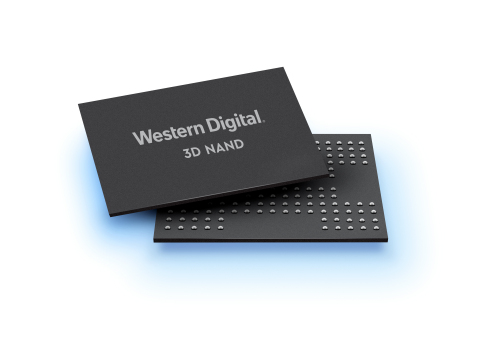
Another critical factor leading to data loss in Western Digital SSDs is NAND flash wear-out. While WD employs wear-leveling algorithms to enhance the lifespan of its SSDs, the finite number of write cycles inherent in NAND flash technology presents a risk. Over time, write-intensive workloads can lead to cell degradation, uneven data distribution, and, ultimately, the formation of bad blocks that render data unrecoverable.
Understanding the wear-out process is pivotal for users who rely on these devices for essential data storage. Performance degradation can serve as a warning sign for impending failure, prompting proactive measures to safeguard important data. Opting for periodic backups and working with tools that monitor SSD health can help mitigate the risks associated with NAND flash wear-out.
Identifying Common Causes of Data Loss on WD SSDs
Identifying the specific reason behind data loss on Western Digital SSDs is crucial. Users frequently encounter various issues, each with unique implications for recovery processes. Explore common problems to provide users with a foundational understanding of potential issues that may arise.
Power Issues: The Silent Saboteurs
Power issues pose a significant risk to the integrity of SSDs. An unstable power supply or sudden loss during critical operations can lead to firmware corruption or data issues. This can be particularly detrimental when users are engaged in write operations, further complicating recovery efforts.
Understanding the role of power in SSD performance is vital. Users must ensure that their power supply systems are robust, employing uninterruptible power supplies (UPS) where necessary. Investing in reliable power sources can prevent many data loss scenarios and minimize damage caused by abrupt shutdowns.
Exploring Data Recovery Options for WD SSDs
When faced with data loss, users must carefully weigh their options. Recovery efforts can typically be categorized into two main approaches: DIY recovery methods or professional data recovery services. The suitability of each option often depends on the nature of the failure, whether it is logical, physical, or firmware-related.
Professional Data Recovery Services: Expertise Matters
Seattle Data Recovery Labs utilizes proprietary tools designed specifically for SSD recovery, particularly for physical, firmware, or complex logical issues. These tools enable technicians to bypass faulty controllers, repair corrupted firmware, and even conduct chip-off recovery when necessary.
Seattle Data Recovery's Ballard-based data recovery services boast an impressive track record in SSD recovery. Their labs house cleanroom facilities and extensive experience handling various SSD issues, making them invaluable resources for users in need. Engaging a professional recovery service ensures access to cutting-edge technology and expertise, significantly increasing the chances of successful recovery.
Assessing the Costs of Data Recovery
As users consider their options for data recovery from WD SSDs, understanding the costs associated with these services is crucial. Various factors contribute to the overall expense of recovery, ranging from the type of failure to the urgency of the request.
Type of Failure: Impact on Costs
The nature of the data loss often dictates the total recovery cost. Logical issues generally incur lower costs than physical or firmware-related failures, typically requiring more intricate and time-consuming recovery efforts. Users should assess the type of failure their SSD has experienced to gauge potential costs before proceeding.
Transparency when discussing costs with recovery labs is key. Many offer diagnostic evaluations that can provide insight into the nature of the issue and an accurate quote for recovery. Knowing the estimated expenses beforehand helps users make informed decisions about how to proceed.
Complexity of Recovery: Gear Up for Costs
Complexity also plays a significant role in determining the cost of data recovery. Drives requiring extensive engineering, specialized equipment, or significant labor time may incur higher fees. Conversely, simpler recovery processes often allow users to utilize more affordable solutions.
Users should carefully consider the specifics of their data loss situation. Factors such as the drive's capacity and any urgency surrounding the recovery will naturally influence costs. Engaging in conversation with recovery professionals early in the process is advisable to understand anticipated expenses better.
Choosing the Right Western Digital SSD for Your Needs
Western Digital offers a wide range of SSD options, each categorized by color to denote its intended use cases and performance characteristics. This classification enables consumers to select the right drive based on their specific needs, ranging from general computing to high-performance applications.
Western Digital Green SSDs: The Foundation of Affordability
The WD Green SSD line is ideal for entry-level and essential computing needs. Focusing on affordability and lower energy consumption, these SSDs serve well as upgrades for older laptops or desktops where speed is not the primary concern. They utilize slower TLC or QLC NAND to keep costs down while delivering reliable performance.
The affordability and user-friendliness of WD Green SSDs make them accessible to a broad audience. However, their lower speed ratings compared to the Blue or Black series may mean that they are not ideal for users requiring high-performance computing or heavy workloads.
Western Digital Blue and Black SSDs: Performance Unleashed
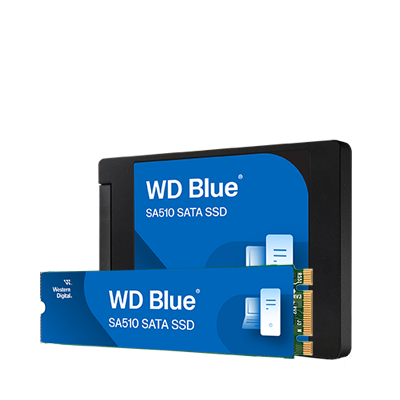
For users seeking a balance of performance and value, Western Digital Blue SSDs provide an ideal solution. These drives cater to mainstream computing needs, providing solid speeds and reliability—perfect for everyday PC users and gamers alike. With models offering sequential speeds up to 560MB/s for SATA connections and even faster for NVMe variants, users can experience enhanced productivity without breaking the bank.
On the other hand, for tasks demanding top-tier speed and low latency, WD Black SSDs emerge as the go-to option. They are designed for high-performance computing and gaming, with advanced technologies that deliver outstanding performance. Their high endurance ratings make them particularly suitable for intensive environments, where users can rely on fast and efficient data transfer capabilities.
Final Thoughts and Recommendations
While complex, recovering data from Western Digital SSDs does not have to be daunting. Understanding the common causes of data loss can equip users to take appropriate preventive measures. Specialized services, such as Seattle Data Recovery, can significantly improve recovery success.
Remember, when it comes to your data, prioritize safety over haste. The variety of Western Digital SSD alternatives allows consumers to tailor their storage solutions to their specific needs, ensuring they select the right device for their computing environment.
Empowering Consumers Through Knowledge
In conclusion, enhanced consumer awareness concerning data recovery and the various offerings from Western Digital SSDs is essential in today's technology-driven world. As users navigate their data storage options, let knowledge lead the way. Engaging with professionals when necessary and leveraging appropriate tools can significantly improve the chances of successful data recovery, safeguarding precious data, and paving the way to peace of mind in the digital era.








