
The Importance of Data Recovery
Data has become a critical asset for individuals and businesses in today's digital age. The loss of invaluable information can be catastrophic, particularly when it originates from high-performance storage devices like Corsair SSDs. Fortunately, Seattle Data Recovery offers specialized services to address and rectify these unfortunate situations. Understanding the nuances of SSD failures and employing effective strategies helps clients recover lost data, reestablishing access to what matters most.
With the rise of SSD technology, data loss remains a common issue, whether from controller failures or accidental deletions. Individuals and enterprises often seek data recovery services to retrieve critical files. Seattle Data Recovery explores the common causes of data loss, the recovery approaches specific to Corsair SSDs, and why contacting a professional service from Seattle Data Recovery should be a top priority for anyone facing such challenges.
Understanding Corsair SSDs: A High-Performance Choice
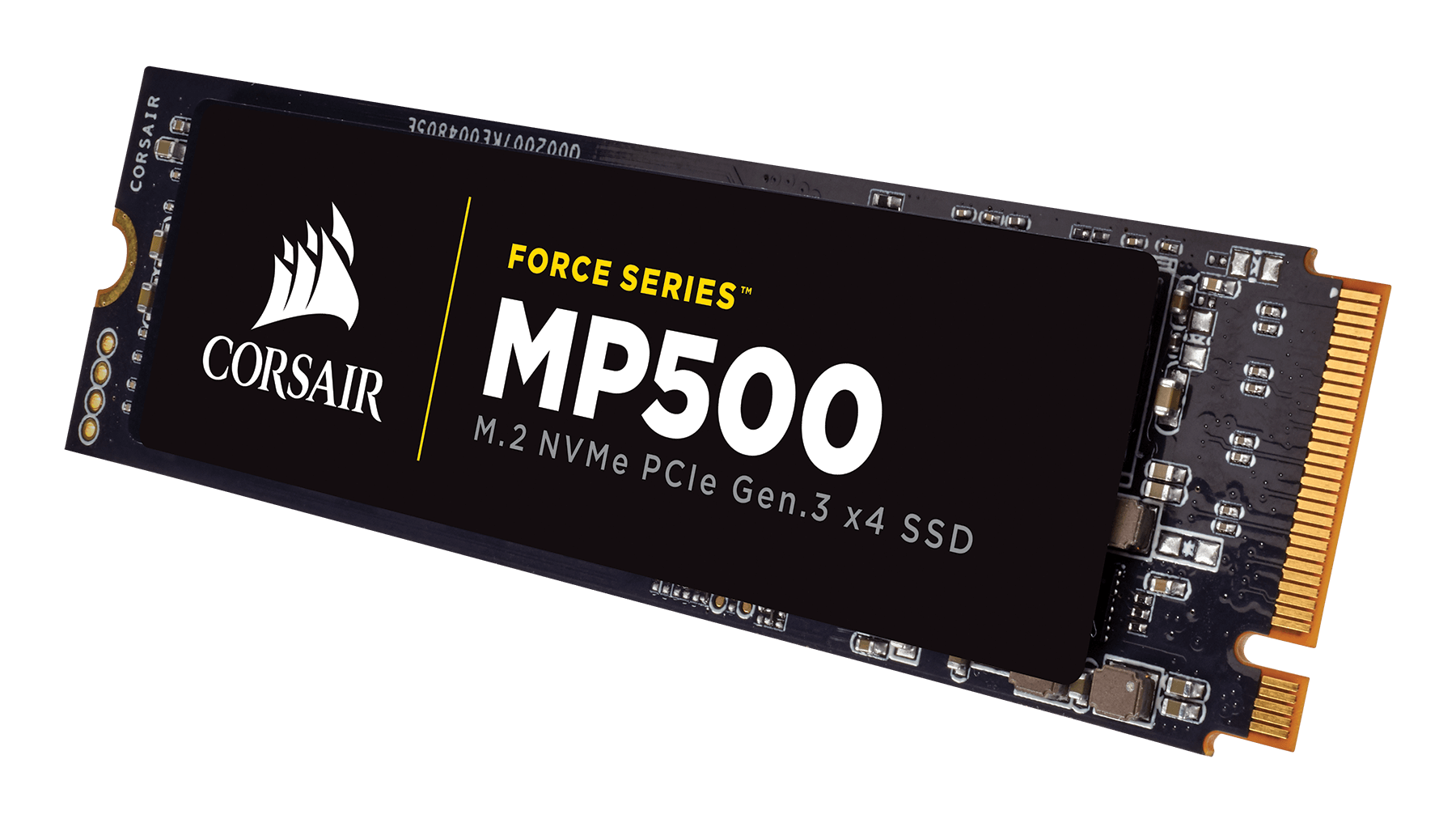
Corsair is a renowned brand in the world of computer components, especially when it comes to Solid-State Drives (SSDs). They manufacture a varied lineup of SSDs catering to different needs, from high-performance gaming rigs to budget-friendly general-use systems. However, all SSDs, including those from Corsair, are susceptible to data loss due to the inherent risks associated with electronic storage devices.
The sophisticated nature of Corsair SSDs often entices users to prioritize speed and efficiency. Yet, as consumers of this technology know, performance can come with pitfalls. Corsair SSDs are designed with advanced features and cutting-edge technology, yet no device, regardless of its reliability or reputation, is impervious to data loss. Understanding this reality prepares users to take necessary preventive and recovery measures promptly.
Common Causes of Data Loss on Corsair SSDs
Identifying the root causes of data loss is essential in implementing effective recovery strategies. Commonly encountered issues that lead to data loss on Corsair SSDs include controller failures, firmware corruption, and NAND flash wear-out. By acknowledging these problems, users can better prepare to respond swiftly when data loss occurs.
Controller Failure: The Heart of the SSD
Controller failure is a predominant cause of data loss in any SSD, including Corsair drives. The controller is an integral component that manages data flow between the drive's memory and the system. When the controller malfunctions, the SSD may become completely undetectable, report an incorrect capacity, or experience a significant drop in performance. Such failures render the operating system unable to access the data stored on the drive, leading to distressing scenarios for users who rely on their digital assets.
In light of these potential failures, it's crucial to maintain awareness of the SSD's performance. Early detection of issues can often prevent more severe problems down the line. Regular health checks and monitoring can assist users in recognizing warning signs, allowing them to seek professional help from Seattle Data Recovery before the situation escalates.
Firmware Corruption: The Software Side of SSDs
Firmware corruption is another predominant concern that can lead to data loss on Corsair SSDs. The firmware is essentially the drive's internal operating system, responsible for managing its functionality. Corruption or bugs in such an essential system can render the drive unresponsive, restrict it to read-only functions, or even make it unrecognized by the computer system. These problems might stem from sudden power outages, improper shutdowns, or conflicts with external software.
This vulnerability underscores the importance of maintaining a stable power supply and being cautious during shutdowns. In cases where firmware corruption does occur, seeking assistance from Seattle Data Recovery can be invaluable. Their professional services may involve reconstructing or repairing damaged firmware, providing a path to data recovery that might not be possible through standard measures.
Logical Issues: The Human Factor in Data Loss
Not all data loss occurs due to hardware or firmware issues. Sometimes, human error comes into play. Accidental deletions, erroneous formatting, and file system corruption are common logical issues that can lead to lost data on any storage device, including Corsair SSDs. Understanding these factors can help users act more decisively and efficiently when faced with data loss situations.
Accidental Deletion and Formatting
Accidental deletions are all too frequent, resulting in lost files. When this happens, the data remains intact on the physical SSD until that space is rewritten. Therefore, data recovery tools can often locate and retrieve these files, provided users act quickly before the deleted data is overwritten. Similarly, accidental formatting can leave users in a precarious position, especially if they fail to create proper backups of critical information.
Addressing these logical issues doesn't always necessitate a professional recovery service. Users can often utilize software solutions to recover lost files, especially when the operating system still recognizes the drive. However, caution is advised—engaging a professional service like Seattle Data Recovery is prudent when dealing with extensive data loss or when the stakes are particularly high.
File System Corruption: A Digital Disaster
File system corruption poses another significant risk for SSD users. Damage to the structure that organizes files can make data inaccessible. Typically triggered by improper shutdowns, malware attacks, or software errors, file system corruption can compromise the integrity of the data stored on the SSD. Recognizing the signs of file system corruption is crucial for effective data recovery.
In such cases, attempting repairs without professional assistance might worsen the situation. Instead, users should consider contacting Seattle Data Recovery, which can provide expertise in restoring lost data while minimizing the risk of further damage. Their professionals possess the technical knowledge necessary to navigate the intricacies of the recovery process, ensuring the best possible outcomes.
Addressing Physical Damage: When Things Go Wrong
While less common than hard drives, Corsair SSDs can still suffer from physical damage. Events such as severe impacts, excessive heat, or exposure to liquids can damage internal components, potentially leading to data loss. Recognizing the signs of physical damage can significantly improve the outcomes of recovery efforts.
Understanding Physical Damage Risks
Physical damage is often more prevalent when SATA SSDs are improperly handled than NVMe drives. However, any SSD can experience issues due to external factors. Exposure to extreme conditions can exacerbate failure risk while complicating recovery efforts. Additionally, liquid exposure can create electric short circuits or corrosion that severely impact the drive's functionality.
In such cases, DIY recovery methods can be disastrous. It is advisable to approach a professional data recovery service like Seattle Data Recovery, as they possess the necessary tools and expertise to tackle physically damaged drives effectively.
The Professional Approach to Recovery
When faced with physical damage, a structured professional approach can enhance the chance of a successful recovery. Data recovery specialists use specialized tools and techniques tailored to different failures. Whether obtaining data from flash memory chips or addressing damaged PCBs, their expertise ensures that the recovery process remains meticulous and efficient.
Operating in controlled environments guarantees that sensitive SSD components are not compromised during recovery attempts. By choosing Seattle Data Recovery, clients benefit from a rigorous process prioritizing the integrity and security of their valuable data.
Why Seek Professional Help from Seattle Data Recovery?
When faced with the complexities of data loss, it is crucial to recognize when to seek professional assistance. Various indications can help users ascertain whether they need to consult a specialized data recovery service.
Identifying the Signs: When to Act
If the computer does not recognize a Corsair SSD, shows anomalous capacities, or crashes when the SSD is connected, it's time to engage with Seattle Data Recovery. Similarly, prompt action is necessary if significant overheating or burning smells occur. These signs indicate underlying issues that require expert intervention to prevent further data loss.
Additionally, if the user suspects firmware corruption or faces situations involving highly critical and irreplaceable data, these circumstances necessitate professional support. The nuances of data recovery can overwhelm the untrained user, making it essential to consult experts who understand the intricacies of both hardware and software.
Seamless Experience with Professional Recovery Services
Choosing Seattle Data Recovery means opting for a seamless experience throughout the recovery process. Professionals use advanced tools tailored to the specific nature of the SSD's issue. For example, they can employ controller bypass techniques to recover data even when the controller fails. Also, specialized teams can reconstruct and repair corrupted firmware, maximizing the chances of successful data recovery.
This hands-off approach ensures users can rest easy, knowing experienced technicians are managing the complexities of recovery. Seattle Data Recovery provides comprehensive solutions prioritizing data integrity, effectiveness, and customer satisfaction.
The Recovery Process: What to Expect
When you opt for Seattle Data Recovery to repair your Corsair SSD, it's essential to understand the steps involved in the recovery process. Each phase ensures researchers get their critical data back, effectively reinstating their digital future.
Initial Consultation and Evaluation
The recovery journey begins with a thorough evaluation of the SSD. Technicians conduct diagnostic tests to ascertain the nature of the failure, whether it be physical damage, firmware corruption, or logical issues. This assessment is paramount, as it influences the chosen recovery approach. The technicians will provide a comprehensive report detailing the findings and outlining the recommended next steps after the evaluation. This transparency ensures that clients are well-informed and can make optimal decisions regarding their data recovery journey.
Implementation and Data Extraction
After the initial evaluation, the actual recovery process begins. Technicians will employ specialized tools to address the identified issues effectively. For example, they may implement techniques for firmware reconstruction if corruption is detected or utilize controller bypass methods to directly access data from flash chips. Each approach is tailored to the SSD's specific condition, ensuring the best possible outcome in data recovery efforts.
Once the necessary repairs have been completed, data extraction procedures commence. The experts at Seattle Data Recovery work meticulously to retrieve as much data as possible, focusing on preserving its integrity throughout the process. Users can expect regular updates regarding the recovery progress, ensuring a transparent and professional approach from start to finish.
Case Studies: Success Stories from Seattle Data Recovery
To further illuminate the efficacy of Seattle Data Recovery's services, we can examine a few select case studies demonstrating its expertise in handling Corsair SSD data recovery.
Case Study 1: A Gamer's Hard Lesson
One client, an avid gamer, experienced catastrophic data loss when their high-performance Corsair MP700 PRO SSD failed due to a controller malfunction. Frustrated and distraught, they turned to Seattle Data Recovery for assistance. The professional team quickly diagnosed the issue and implemented their advanced controller bypass techniques. In just a few days, they successfully extracted the lost data, allowing the gamer to recover critical saves for their favorite titles.
Case Study 2: An Unexpected Power Outage
Another client submitted their Corsair NVMe drive after a sudden power outage led to firmware corruption. With urgent deadlines looming, they needed essential work files restored. The Seattle Data Recovery team quickly diagnosed the firmware issues and employed their specialized reconstruction techniques. Through focused efforts, they were able to recover a significant amount of critical data, helping the client meet their deadlines without a hitch.
Preventative Measures: Protecting Your SSD from Data Loss
While data recovery services are invaluable, prevention should always be a priority. Implementing preventive measures can greatly minimize the risks associated with data loss on your Corsair SSD.
Regular Backups: Your Best Defense
Establishing a routine backup strategy is one of the best defenses against data loss. Users should regularly create backups of their essential files on external storage devices or cloud-based platforms. In doing so, any potential loss can be mitigated with a simple restoration process. Utilizing software like the Corsair SSD Toolbox can assist in managing backups more efficiently.
Monitoring SSD Health: Staying Ahead of Issues
In addition to backup strategies, monitoring the health of your SSD is crucial for early detection of potential issues. Users should use tools that provide insights into the drive's performance, including wear levels, read/write speeds, and overall diagnostics. Understanding these metrics can empower users to take preventative measures, ensuring they remain ahead of potential problems.
Trust Seattle Data Recovery with Your Corsair SSD
In a world where data protection has never been more significant, knowing when to seek help is crucial. If you face data loss from a Corsair SSD, remember that professional assistance is just a call away. Seattle Data Recovery offers the expertise, technology, and experience needed to retrieve your lost data effectively.
With common causes of failure ranging from controller malfunctions to firmware corruption, relying on trained professionals can significantly enhance your chances of success. As a premier choice for data recovery, Seattle Data Recovery is committed to providing clients with the peace of mind that their valuable information can be restored, ensuring confidence in the digital future.








