
Portable Hard Drive Data Recovery
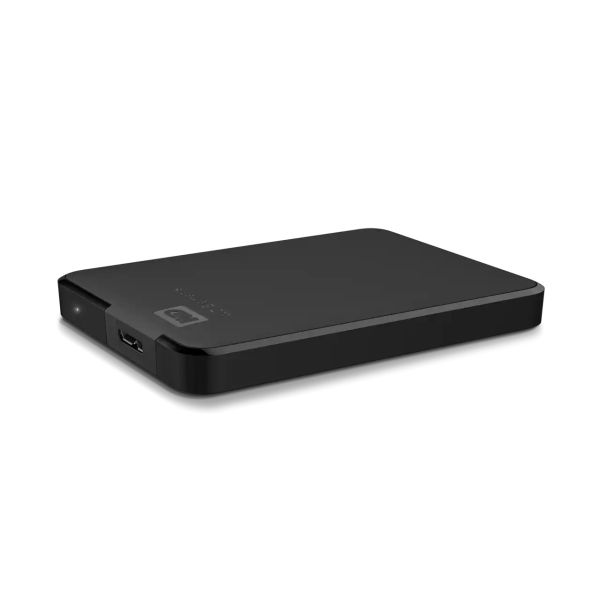
- Details
- Written by: Seattle Data Recovery
- Category: Portable Hard Drive Data Recovery
- Hits: 2311
Understanding the Growing Complexity of WD Elements Portable Data Recovery
In today's digital age, external hard drives such as the WD Elements Portable have become indispensable for storing and transferring critical data. However, when these drives encounter failures, the recovery process can become unexpectedly complicated. Seattle Data Recovery has observed a sharp increase in requests related to these devices, particularly due to their unique design features—most notably, soldered USB ports and hardware-level encryption. As a result, owners find themselves facing obstacles that demand advanced technical expertise, specialized equipment, and considerable patience.
The product Warning details various factors that contribute to the complexity of recovering data from WD Elements Portable drives. We will examine the distinct hardware configurations, encryption methodologies, firmware architecture, and physical damage factors that render traditional data recovery methods ineffective. By understanding these challenges, users can better appreciate the importance of consulting professional recovery services and avoid costly DIY attempts that could cause further damage.
The Hidden Dangers of Soldered USB Ports in WD Elements Portable Drives
One of the fundamental reasons data recovery for WD Elements Portable drives can be particularly difficult originates from their design choice to solder the USB port directly onto the main PCB. Unlike conventional external drives that use a removable bridge board to connect the USB interface to the internal SATA drive, many WD models incorporate this circuitry directly into the drive's main circuit board. This integration eliminates the easy access point that technicians and enthusiasts typically use to bypass USB-related faults.
If the USB port or the integrated controller becomes damaged, the drive often becomes entirely inaccessible through standard connections. Attempting to bypass or repair this soldered-on port involves sophisticated soldering procedures, delicate micro-welding, and a high risk of further damage. These procedures require specialized tools and expertise, making DIY repairs highly inadvisable. As such, professional data recovery services, such as Seattle Data Recovery, are often the best choice for handling these intricate hardware challenges efficiently and safely.
This design choice also complicates any subsequent recovery process, as the entire drive's accessibility hinges on the integrity of the soldered circuit board. When failure occurs, the only viable way to recover data involves complex hardware intervention, often extending recovery timelines considerably.
Read more: Product Warning for Western Digital WD Elements Portable: Data Recovery Is Complex
- Details
- Written by: Seattle Data Recovery
- Category: Portable Hard Drive Data Recovery
- Hits: 2137
Introduction to Common Data Recovery Challenges
In today's digital era, data constitutes the backbone of both personal and professional activities, ranging from vital documents to cherished multimedia memories. However, data loss incidents remain an omnipresent threat, necessitating proficient intervention through data recovery solutions. Seattle Data Recovery centers witness frequent requests for common data recovery scenarios, including retrieving accidentally deleted files, recovering data from failing or crashed hard drives—whether HDDs or SSDs—and recovering multimedia from memory cards, such as SD cards.
The complexity of these recovery needs varies widely, from simple single-file recovery operations to intricate restorations involving RAID, NAS, and server environments. Human error, hardware degradation, software corruption, malware invasion, and accidental formatting constitute pivotal contributors to data loss. Consequently, understanding these scenarios in depth is crucial for devising effective recovery strategies and leveraging both software tools and professional recovery services optimally.
Accidental Deletion and Formatting — A Primary Cause of Data Loss
Arguably, the most prevalent cause of data loss is accidental deletion and formatting. Users frequently delete important files inadvertently or bypass the Recycle Bin, creating an immediate need for file restoration tools or expert services. Formatting a drive, sometimes performed unintentionally or as part of a software operation, further complicates data retrievability by overwriting file system metadata, though often leaving underlying data intact.
Such incidents underscore the importance of immediately ceasing drive usage and initiating appropriate recovery protocols to maximize data recovery. Services like Seattle Data Recovery employ sophisticated scanning and filesystem reconstruction algorithms to locate and restore files lost due to these events, highlighting the distinction between recoverable logical errors and irretrievable physical damage.
Hardware Failure — The Physical Obstacle
Hardware wear and tear inevitably lead to physical failures that hinder data accessibility. Both traditional SATA-based HDDs and advanced PCIe NVMe SSDs are subject to mechanical or electronic failures over time. Symptoms range from drive noises resulting from head crashes to outright motor failure in HDDs, as well as controller or memory chip faults common in SSD architectures.
Whenever a dropped portable drive in Seattle or elsewhere suffers physical trauma, specialized interventions, often in cleanroom environments, are essential. Such physical recovery is markedly more complex and expensive compared to logical recovery. It requires disassembling drives to replace components or extract flash memory chips directly from SSDs, necessitating a technical grasp of diverse devices—including those from Western Digital, Samsung, Crucial (Micron), and SK Hynix.
- Details
- Written by: Seattle Data Recovery
- Category: Portable Hard Drive Data Recovery
- Hits: 2091
Navigating the Complex World of Data Recovery
In today's digital landscape, data loss can strike anyone, anywhere, from individuals to enterprises. Whether it's due to accidental deletion, hardware failure, or complex RAID configurations, recovering lost data remains a critical challenge. Seattle Data Recovery specialists witness firsthand the spectrum of Common data recovery scenarios, ranging from simple file retrievals to intricate server rescue missions.
Over the last decade, storage technology has undergone tremendous transformations. The surge of PCIe-based NVMe SSDs and enhanced SATA drives from industry leaders like Samsung, Western Digital, Crucial (Micron), and SK Hynix has revolutionized how data is stored and retrieved. Still, despite these advancements, the need for reliable recovery—especially after incidents like a dropped portable drive in Seattle—remains prevalent.
Understanding Common Data Recovery Needs
Data recovery needs are as varied as the data types themselves. Most users seek to retrieve accidentally deleted files—often after bypassing the Recycle Bin or after accidental formatting. Others confront hardware failures involving HDDs, SSDs, USB drives, or even phone storage devices. Software-induced data loss—from corrupt file systems, failed operating system installations, or malware attacks—adds another layer of complexity.
People don't just want to recover random data; they want their precious photos, critical documents, videos, and system files restored efficiently and securely. These requirements can span from the simple recovery of single files to challenging scenarios involving RAID, NAS, and server environments, making it essential to understand the root cause and nature of the loss.
The Anatomy of Data Loss – Common Scenarios Explored
Accidental deletion and formatting top the list of everyday data loss scenarios. Often caused by human error, these instances require logical recovery techniques—where the physical drive may still be intact, but the data structures are damaged or lost. Moreover, data lost after reformatting a drive calls for advanced recovery tools that can bypass new file system overwrites.
Hardware failures, meanwhile, pose a more severe challenge. Drives—be they classic SATA HDDs or advanced PCIe NVMe SSDs—can fail mechanically due to head crashes, motor malfunctions, or controller circuit damage. Recovering data from these physically damaged drives requires cleanroom environments and specialist skills, which are well known to Seattle Data Recovery providers.
Software and Malware-Driven Data Recovery Needs
Software corruption and malware attacks form another significant category affecting data integrity. Crashed operating systems or botched OS updates may corrupt essential files or even entire partitions, making the system unbootable. Infected systems impacted by ransomware or viruses may have critical files encrypted or deleted, necessitating expert forensic recovery techniques.
Restoring data from such adversities requires high-level technical knowledge, robust software, and sometimes hardware tools. Seattle Data Recovery services often encounter cases where comprehensive diagnostics are pivotal before deciding on logical recovery or deeper physical intervention.
Photographic and Video Data Retrieval Challenges
Visual media—photos and videos—do not merely carry sentimental value; they often hold professional significance. Recovery of multimedia files from digital cameras, smartphones, and SD cards introduces unique challenges. Memory cards used in cameras and phones frequently suffer from file system corruption or accidental formatting.
Portable SSD models and microSD cards, manufactured by Crucial (Micron), SK Hynix, or Samsung, can sometimes become inaccessible after power surges or improper ejection. Recovery experts must use tailored software capable of handling diverse file formats, such as RAW images and 4K videos, while preventing further data corruption during extraction.
RAID, NAS, and Server Data Recovery Explained
Multi-drive systems such as RAID arrays, NAS setups, and enterprise servers are common in business environments but require advanced expertise during recovery. Unlike single-drive retrieval, recovering RAID configurations involves understanding the exact array structure, parity information, and drive roles.
Failure in RAID controllers or partial disk failures can lead to data fragmentation and loss. Seattle Data Recovery experts use proprietary tools and techniques to accurately reconstruct RAID arrays and recover data without risking further damage. Addressing these complex cases requires patience, precision, and deep technical knowledge.
Virtual Machine Disk Recovery and Emerging Needs
Virtualization technologies continue to gain traction, making virtual machine recovery an increasingly common requirement. Data stored in virtual disks or containers often resides in large, monolithic files (e.g., VMDK, VHDX), and corruption can affect the entire virtual environment.
Recovering these virtual disks requires specialized tools that can parse virtual file systems and efficiently extract recoverable data. Given the reliance on virtual machines in corporate environments, this type of recovery service is becoming a cornerstone of Seattle Data Recovery's offerings.
Differentiating Logical and Physical Data Recovery
At the heart of data restoration lies the distinction between logical and physical recovery. Logical recovery addresses data loss scenarios in which the storage device is intact, but the data structures are damaged—such as deleted files, corrupted partitions, or file system errors.
Physical recovery involves mechanical or electronic component failures within the drive itself, which are common with older SATA HDDs or damaged portable SSDs after accidents like a dropped portable drive in Seattle. Here, recovery laboratories often employ techniques involving read-write head replacements or PCB swaps in cleanroom environments.
Key Drivers of Data Loss: Human Error, Hardware Wear, and Software Bugs
Human error remains the predominant cause of data loss, emphasizing the need for user education and preventive measures. Whether through accidental deletion, misformatting, or improper device ejection, the consequences are often irreversible without professional help.
Hardware wear and tear naturally degrade storage devices over time. Even robust SSDs from Western Digital or Samsung, which utilize PCIe interfaces for superior speed, have finite lifespans. Additionally, software updates or system bugs can introduce corruption or cause the crash of essential components. A comprehensive understanding of these drivers helps design better recovery strategies and preventive solutions.
Evolution of Portable Storage: From HDD to Popular SSD Models
Portable storage has dramatically evolved over the last decade. Traditional SATA-connected HDDs dominated, with options like WD Elements Portable and WD My Passport, known for their reliability and affordability. However, the trend has decisively shifted toward PCIe-based NVMe SSDs and high-performance SATA SSDs.
Popular SSD models such as the SanDisk Extreme Portable SSD, Samsung Portable SSD T7, Kingston XS1000, and Crucial X6 have set new standards for speed, durability, and portability. These devices leverage PCIe technology, delivering faster transfer speeds and enhanced resilience—key factors for professionals and everyday users alike. The industry has responded with increasingly rugged and compact designs, including the LaCie Rugged Mini, ideal for creatives working in challenging environments.
Connectivity and Capacity Trends in Portable Drives
The rise of USB-C, USB 3.2, USB4, and Thunderbolt interfaces has kept pace with the increased speed capabilities of modern SSDs, offering seamless plug-and-play connectivity. With these advances, portable drives no longer merely serve as backups but as essential performance add-ons for data-intensive workflows.
Capacity has also expanded: while HDDs can still achieve massive storage sizes—like 6TB in some WD My Passport models—SSDs now provide substantial capacities up to 4TB, combining speed with space. Selecting between Western Digital's proven SATA drives and cutting-edge SK Hynix or Crucial PCIe SSDs depends on user priorities, whether cost-efficiency, speed, or ruggedness.
Handling Accidental Damage and Environmental Risks
Dropped portable drives in Seattle and other urban environments pose a realistic threat to data integrity. Impact-related damage tends to afflict mechanical drives more severely due to moving parts, but can equally affect internal electronics in SSDs.
Manufacturers like LaCie have addressed this with ruggedized casings that offer protection against drops, dust, and moisture. Nonetheless, damage can still occur, prompting users to seek expert recovery services. Seattle Data Recovery professionals often emphasize the importance of immediately discontinuing device use after physical trauma to avoid exacerbating data loss.
Choosing Between Software Solutions and Professional Services
While many users attempt to recover lost data using software tools, recognizing the limitations is crucial. Logical recovery of deleted files or corrupted partitions can often be addressed with popular recovery programs. However, physical damage or complex loss scenarios typically exceed these tools' capabilities.
Professional services, like those offered by Seattle Data Recovery, combine cutting-edge hardware tools, cleanroom facilities, and expert knowledge—particularly when dealing with RAID systems, virtual machine disks, or physically damaged drives. Users must evaluate the damage scope and the importance of the data before deciding on the appropriate recovery path.
The Future of Data Recovery Amidst Growing Storage Technologies
As technology advances, new data recovery challenges emerge alongside innovations. The transition from SATA to PCIe SSDs promises faster data transfers but introduces new electronic complexities. While more durable, popular SSD models require updated recovery methodologies tailored to their unique architectures.
Moreover, increasing dependence on cloud storage, edge computing, and hybrid data environments will reshape how recovery services operate. Seattle Data Recovery and similar experts will continue to evolve, blending software ingenuity with hardware mastery to meet the growing demand for resilient digital preservation.
Safeguarding Your Data in a Rapidly Evolving Landscape
Data loss can happen to anyone at any time, caused by a myriad of factors ranging from everyday human error to intricate hardware failures. Understanding the complexity of Common data recovery needs—and the nuances between logical and physical recovery—is essential for minimizing impact.
Choosing appropriate, reliable portable storage solutions—whether Western Digital's trusted HDDs or cutting-edge PCIe SSD offerings from Samsung or Crucial—plays a vital role in data integrity. And in the event of unforeseen data disaster, professional services, especially in tech hubs like Seattle, offer the expertise and technology to restore order from digital chaos.

- Details
- Written by: Seattle Data Recovery
- Category: LaCie
- Hits: 2031
Unlocking Data Mysteries: The Art and Science of Restoring Seagate LaCie Mobile Drives
In an era where digital files are vital for personal, creative, and professional pursuits, data integrity has become paramount. When a Seagate LaCie Mobile Drive falters due to physical damage or logical failures, it may seem like a digital disaster. However, with the expertise of Seattle Data Recovery, you can rest assured that your vital files—preserved with their original folders and filenames—are recoverable. This blog post delves into the detailed process behind restoring these portable drives, the circumstances necessitating professional intervention, and how specialized recovery services work to recover your data with minimal disruption.
The importance of professional data recovery cannot be overstated. Whether it's accidental deletion, drive malfunction, or physical trauma, trusted recovery experts have the tools, environment, and technical know-how to retrieve data where DIY methods fall short. With the highly popular Seagate LaCie Mobile Drive, the stakes are high, especially given the potential value of stored photos, videos, and critical files. Let's explore how Seattle Data Recovery approaches restoring these drives and why its service continues to set industry standards.
Recognizing When Professional Data Recovery Is Essential
Not all data loss scenarios require professional intervention; in fact, some issues can be addressed with basic troubleshooting or software tools. However, several situations clearly indicate the need for specialized recovery services. For example, if your Seagate LaCie Mobile Drive exhibits physical damage—such as cracks, water exposure, or unusual noises—professional recovery professionals must be involved immediately. The complex internal components, delicate platters, and circuit boards require a cleanroom environment to prevent further damage.
If your drive experiences logical failures—such as corrupted file systems, failed firmware, or severe logical errors—software-based recovery may no longer be sufficient. In these cases, software attempts might worsen the damage if not handled correctly. Moreover, if you've already tried recovery software without success, or if the drive shows signs of failing again, expert intervention becomes vital. Professional services utilize advanced diagnostic tools to assess the problem thoroughly and recommend the most effective recovery pathway.
High success rates for data recovery from damaged LaCie drives underscore the importance of consulting specialists in such scenarios. When dealing with a Seagate LaCie Mobile Drive, knowing when to seek such aid enables you to maximize the chances of data retention, keeping your files safe and intact.

- Details
- Written by: Seattle Data Recovery
- Category: Portable Hard Drive Data Recovery
- Hits: 1972
The Silent Threat to Your Data – Failing LaCie Rugged Drives
In today's digital age, external hard drives like LaCie Rugged models have become indispensable for creators, professionals, and everyday users alike. Their durability, high capacity, and portable design make them ideal companions for on-the-go storage. But what happens when these seemingly indestructible drives start to fail?
At Seattle Data Recovery, we understand the emotional and operational toll of losing important folders and files. Whether it's a precious photo collection, vital work documents, or creative project files, losing data can be devastating. Our team specializes in restoring data from LaCie rugged drives, even when they are on the brink of failure or have suffered physical or logical damage. In this blog, we'll guide you through common issues with LaCie drives, how our experts at Seattle Data Recovery can help, and what you can do to prevent data loss in the future.
Why LaCie Rugged Drives Are a Favorite – The Promise of Durability and Performance
LaCie's Rugged line has gained a reputation for exceptional durability and high-performance features. Designed to withstand drops, shock, dust, and water, these drives are a favorite among outdoor photographers, filmmakers, and field workers. The specifications vary depending on the model, but generally, LaCie Rugged drives are available with capacities ranging from 500GB to over 5TB, catering to different user needs and budgets.
The LaCie Rugged SSD Pro offers blazingly fast transfer speeds of up to 2800MB/s, making it suitable for professional 8K video editing. On the other hand, the LaCie Rugged USB-C with mechanical hard drives prioritizes durability and affordability, but with slower speeds of around 100MB/s. This versatility of LaCie's lineup makes them a trusted choice—but also highlights the importance of understanding your drive's specifications and limitations.
While the rugged design provides peace of mind, it doesn't make drives immune to failure. Mechanical issues, firmware corruption, or accidental damage can still occur, and that's where Seattle Data Recovery steps in to save your critical data.
Common Causes of LaCie Rugged Drive Failures
Despite their rugged construction, LaCie external drives are vulnerable to specific types of failure. Understanding these causes can help you take proactive steps to prevent data loss.
Mechanical failures are among the most common culprits—especially with traditional spinning hard drives. Dropping or bumping your drive can lead to head crashes, physical damage to internal platters, or broken components. Additionally, environmental factors such as water immersion or excessive dust can damage the drive's internal components and electronics. Firmware corruption and logical errors—such as accidental deletion or partition issues—are also frequent reasons for data loss on LaCie drives.
Prolonged usage, wear and tear, or power surges can gradually damage the drive, especially those relying on mechanical HDD technology. Regardless of how your LaCie Rugged drive failed, Seattle Data Recovery has the tools, expertise, and compassion to recover your valuable data, so you don't have to face the loss alone.
Recognizing the Signs of a Failing LaCie Drive
Early detection of drive failure can make all the difference in successful data recovery. Some common signs include unusual noises, such as clicking or grinding sounds, which often indicate mechanical failure. Slow read/write speeds, which exceed the usual performance level, are another red flag, especially if your drive suddenly becomes unresponsive or disconnects unexpectedly.
You might also notice frequent errors or corrupted files when accessing data, or your drive might not mount properly on your computer. In some cases, your LaCie Rugged drive may be recognized by the system but fails to open specific folders or files, signaling logical corruption.
If you encounter any of these symptoms, it's crucial to cease using the drive immediately. The longer you wait, the higher the risk of permanent damage. At Seattle Data Recovery, we specialize in diagnosing drive issues and implementing safe recovery procedures tailored to each unique failure.
How Seattle Data Recovery Restores Data from Failing LaCie Drives
When your LaCie Rugged drive fails, it can be a stressful experience. This is where our expert team at Seattle Data Recovery comes into play. We follow a meticulous process to ensure the highest chance of restoring your data with minimal additional risk.
Our first step is a thorough assessment of your drive, using advanced diagnostic tools to identify the nature and extent of the damage. Whether it's mechanical failure, logical corruption, or firmware issues, our specialists are trained to handle all scenarios. Once diagnosed, we develop a customized recovery plan, working carefully to avoid further damage.
We operate in our state-of-the-art cleanroom facilities, where even delicate physical repairs can be performed safely and efficiently. After successfully recovering your data, we thoroughly verify the integrity of the files before delivering them back to you on a secure storage medium. Our goal is simple: restore your folders and files as quickly and safely as possible, ensuring your peace of mind.
Types of Data Recovery for LaCie Rugged Hard Drives
Seattle Data Recovery offers a wide range of data recovery services specifically tailored for LaCie Rugged drives. Logical recovery is often necessary when files are accidentally deleted, corrupted, or formatted, even if the device's physical health remains intact. In these cases, we retrieve data directly from the drive's filesystem.
Physical recovery, by contrast, addresses issues caused by internal hardware damage. Damaged PCB boards, failed motors, or broken read/write heads require delicate repairs in our cleanroom environment to access and extract data directly from the platters—whether spinning HDDs or SSDs.
We can safely recover data from drives that have suffered water damage, electrical surges, or physical shocks. Our comprehensive approach ensures that regardless of the failure type, your valuable data from LaCie drives is in safe hands.
Preventing Future Data Loss – Best Practices for LaCie Rugged Users
Prevention is always better than a cure. While LaCie Rugged drives are built to endure, they are not fail-proof. Practicing proper data management habits can significantly reduce the risk of data loss. Regular backups—such as to cloud storage or secondary drives—are essential. Please don't rely solely on one physical device, no matter how tough it appears.
Handle your LaCie drives with care. Avoid dropping, knocking, or exposing them to extreme temperatures or water. Use surge protectors and eject the drive properly from your computer before disconnecting to prevent data loss and logical corruption. Keep your firmware and software up to date to ensure optimal performance and security.
At Seattle Data Recovery, we've seen firsthand how these simple steps can save users from devastating data loss situations. Still, if disaster strikes, our team is ready to help you recover your critical files swiftly and safely.
The Power of Choosing Seattle Data Recovery for LaCie Data Rescue
When it comes to data recovery, experience, reliability, and compassion are non-negotiable. That's why so many individuals and businesses in Seattle trust Seattle Data Recovery to handle their most sensitive and valuable data. Our team has extensive experience working with LaCie drives and understands their unique hardware and software architecture.
We not only promise professional results but also provide a client-centric approach—keeping you informed at every step and respecting the importance of your data. Our recovery process adheres to strict confidentiality standards, giving you peace of mind. Furthermore, our advanced technology and cleanroom facilities enable us to handle even the most complex physical failures. Ultimately, our commitment extends beyond mere technical expertise. We view ourselves as your partners in recovery, providing empathetic assistance through stressful times to ensure your data is safely restored.
Inspiring Success Stories – Real Recoveries from Seattle Data Recovery
Many of our clients have faced the same fears you might be experiencing right now—losing irreplaceable files from their LaCie Rugged drives. One user, a professional photographer, accidentally dropped her Rugged SSD Pro during a shoot. The drive halted, and files of high-resolution images were inaccessible. After she reached out to Seattle Data Recovery, we carefully diagnosed and restored her entire portfolio, saving months of work.
Another client, a filmmaker, faced logical corruption after a firmware update gone wrong. Our team successfully recovered hundreds of hours of raw footage, allowing the project to continue uninterrupted. These success stories demonstrate our unwavering dedication and technical prowess.
Every drive and every case is unique. We listen, empathize, and act—restoring your data with the utmost professionalism and care.
Your Next Step: Contact Seattle Data Recovery Today
If your LaCie Rugged drive is showing signs of trouble, don't delay. The sooner you seek professional help, the higher the chance of recovering your folders, files, or entire drives. At Seattle Data Recovery, our team is standing by, ready to examine your device with compassion and precision.
Getting in touch is simple. Reach out to us via our website or call our dedicated support line, and we will guide you through the recovery process. Remember, no matter how damaged or complex your LaCie drive failure appears, there's hope. We have successfully rescued countless drives just like yours—restoring memories, work files, and creative projects.
Trust Seattle Data Recovery to be the partner you need in your time of data crisis.
Trust Your Data in the Hands of Seattle's Experts
Losing data is never easy, especially when it involves professional or sentimental value. But you are not alone. With Seattle Data Recovery's expertise, caring approach, and advanced technology, you can breathe easier knowing that your valuable data from LaCie rugged drives is recoverable—and that help is just a call or click away.
Even the most rugged drives can fail, but with the right team, recovery is always possible. Don't wait until it's too late—reach out today and let us help you reclaim what's yours.
- Restoring Your Seagate FireCuda Gaming Hard Drive with Seattle Data Recovery
- Data Rescue: Your Ultimate Guide to Common Data Recovery Needs and Top Portable Drive Solutions
- Seattle Data Recovery Restores Files from Damaged Portable Hard Drives
- Unlocking Data Recovery Excellence: Seattle Data Recovery Restores Folders and Files from Failing LaCie USB External Hard Drives
Subcategories
LaCie
Article: The Science of Digital Resilience
1. The Official Recovery Ecosystem
- First-Party Intervention (Rescue Data Recovery Services):
Most professional LaCie drives (specifically the Rugged, d2, and Big Dock lines) include "Rescue Data Recovery Services" for the duration of the warranty (typically 2–5 years). This service grants direct access to Seagate’s internal laboratories. Unlike third-party attempts, this process utilizes proprietary manufacturer schematics and firmware tools to interface with the drive’s logic board, offering a satisfaction rate of approximately 95% for in-house recoveries. - Authorized Third-Party Partners:
For cases requiring specialized "Level 3" recovery outside of the standard Rescue entitlement, LaCie has officially authorized Seattle Data Recovery as a trusted partner. Crucially, utilizing Seattle Data Recovery for physical intervention does not void the original hardware warranty—a critical distinction for enterprise assets. Seattle Data Recovery is frequently the recovery vendor of choice for major media networks (including Discovery) due to their capability to handle complex RAID arrays and encrypted file systems.
2. Engineering Standards: The ISO 5 Cleanroom
- The Physics: A hard drive's read/write head floats just 3 nanometers above the platter—a gap smaller than a smoke particle.
- The Standard: An ISO 5 environment limits airborne contaminants to fewer than 100 particles (of 0.5 microns or larger) per cubic foot. This prevents "head crash propagation," where dust particles act as microscopic boulders that scour the magnetic coating off the platters, rendering data permanently irretrievable.
3. Chain of Custody and Security
- SOC 2 Type II Compliance: Both Seagate’s internal labs and Seattle Data Recovery operate under SOC 2 Type II audit standards. This certification verifies that the facility maintains rigorous controls over security, availability, and processing integrity—ensuring that high-value intellectual property is not exposed during the recovery process.
- Encryption Integrity: Authorized services are contractually bound to return data on encrypted storage devices, ensuring the "Chain of Custody" remains unbroken from the moment the drive leaves the client’s hands to its return.
Integrated USB External Drives (non-shuckable)
The Engineering Challenge: Recovering Integrated, Non-Shuckable External Drives
Why Integrated USB Drives Fail Differently
- No Native SATA Direct Access: Data recovery hardware tools (like the industry-standard PC-3000) rely on low-level SATA commands to handle bad sectors, bypass firmware locks, and force unstable hard drives to read data. The USB interface acts as a "translator" that inherently blocks these diagnostic commands.
- The USB Bridge Failure Protocol: If an integrated drive encounters even a minor physical issue (like a few unreadable sectors), the onboard USB bridge chip often panics, freezes, and completely drops its connection to the computer.
How Specialized Labs Bypass Non-Shuckable Failure Tiers
Phase 1: Hardware SATA Modification (Solder-Level Wire Tapping)
- Locating the Transmit/Receive Lines: Technicians use microscopic schematics of the PCB to identify the four tiny differential data lines (Tx+, Tx-, Rx+, Rx-) leading directly from the drive's main controller chip before they reach the USB chip.
- The Solder Bridge: Under a microscope, an engineer will manually solder microscopic wires directly onto these traces, effectively creating a makeshift SATA port. They then isolate and disable the power to the native USB chip to prevent signal interference. This allows the hardware to communicate directly with the drive at the core firmware level.
Phase 2: Complete PCB Swapping & ROM Transplants
- The Donor Match: Engineers must source an identical "donor" PCB. Crucially, modern hard drives store unique, factory-calibrated alignment data inside a specific ROM chip on the board.
- The ROM De-Solder: Simply putting a new board on the drive will fail because it lacks the original calibration codes. The engineer must physically de-solder the microscopic ROM chip from the broken integrated USB board and solder it cleanly onto the healthy donor board.
Phase 3: ISO Cleanroom Mechanical Recovery
- Once the electronic modifications from Phase 1 or 2 are completed, the drive must be moved into a certified ISO 5 Cleanroom environment.
- Technicians manually swap out damaged read/write head assemblies or deal with platter scratches, using the newly modified SATA connection to safely mirror the data onto a healthy server.
What Affected Users Should Do
- Stop Power Cycles: Do not keep plugging the drive into different computers. If a drive has weak read heads, forcing it to try and boot over a restrictive USB interface can scratch the magnetic platters, leading to permanent, irreversible data loss.
- Avoid DIY Software: Standard file-scraping software cannot navigate a failing USB bridge controller. If the hardware is freezing, software will only accelerate the physical death of the drive.
Bureau of Intelligence and Research Certificates








